


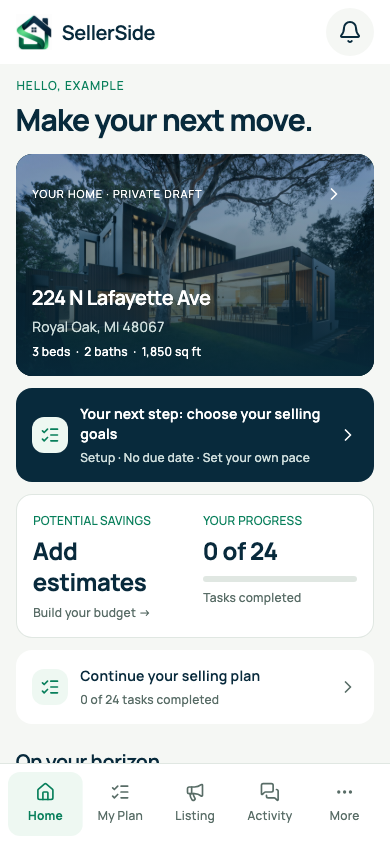
HOMEOWNER FIRST
One home.
A clear way forward.
Actual app · Fictional property
Your next chapter starts here.
ACTUAL APP · FICTIONAL EXAMPLE
THREE STEPS. ONE CLEARER JOURNEY.
A little structure.
A lot more confidence.
01
Set up your home
Add your property details and choose your selling goals.
02
Prepare and create your listing
Review photo suggestions, prepare your home and approve your listing materials.
03
Organize your sale through closing
Keep inquiries, showings, offers, documents and your next steps together.
AN EXAMPLE, NOT A PROMISE
Thousands in
potential savings.
See how selling costs add up—and what you could keep instead.
ILLUSTRATIVE ESTIMATED SAVINGS
$35,100
$41,100 − $6,000
$685,000 × 6% = $41,100
Illustrative sale price × estimated agent-fee assumption
The $6,000 represents illustrative optional photography, preparation and other selling costs—not a SellerSide listing charge.
In the app, edit the sale price, fee percentage and itemized optional costs to reflect your situation.
6% is an example assumption. Actual costs and savings vary. This is not a guarantee or a net-proceeds estimate.
A LITTLE HELP, AT EVERY STEP
From first photo
to final signature.
Practical tools for the work of selling. You stay in control of the decisions.

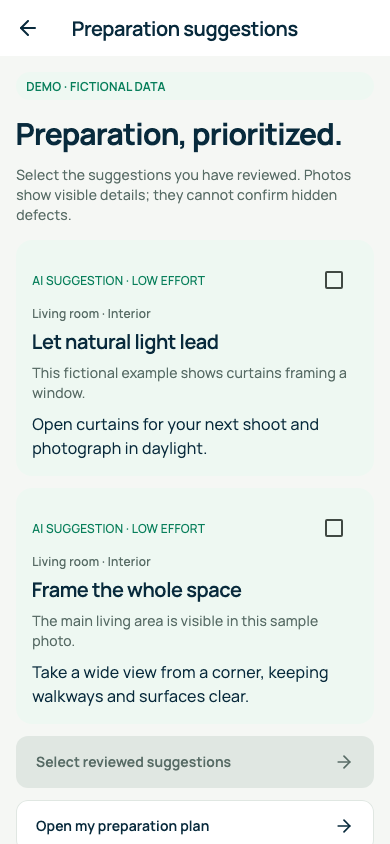
Review. Choose. Prepare.
Actual app · Fictional sample
Actual app · Fictional sample
01 / PREPARE YOUR HOME
Small changes.
A stronger first impression.
Get AI observations and preparation suggestions for each photo you upload. Review what is useful before adding it to your checklist.
Per-photo reviews · Seller-approved tasks
Visible details only. Suggestions do not replace a home inspection.
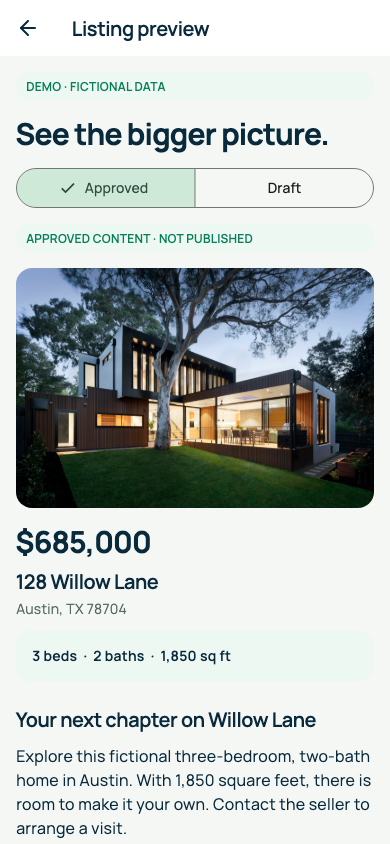
AI-assisted. Seller-approved.
Actual app · Fictional sample
Actual app · Fictional sample
02 / CREATE YOUR LISTING
Your home’s story.
In your own words.
Start a listing draft from your property details. Regenerate, edit and approve the copy, then prepare captions and a shareable flyer.
Generate → Edit → Approve
An approved draft is not a published listing.
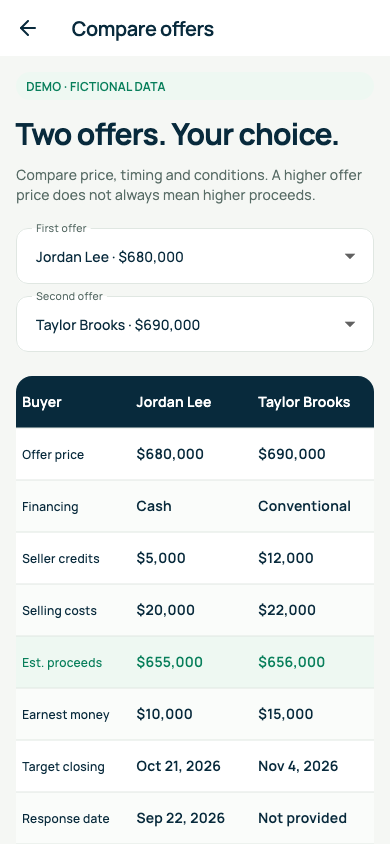
More context for your decision.
Actual app · Fictional sample
Actual app · Fictional sample
03 / ORGANIZE THE DETAILS
See the whole offer.
Keep the next visit in view.
Record buyer inquiries, schedule showings and compare offers by price, financing, contingencies and closing dates.
Showings · Notes · Offer comparison
Add and update details yourself. Conversations stay in your chosen email or messenger.
Your dates. Your next steps.
Actual app · Fictional sample
Actual app · Fictional sample
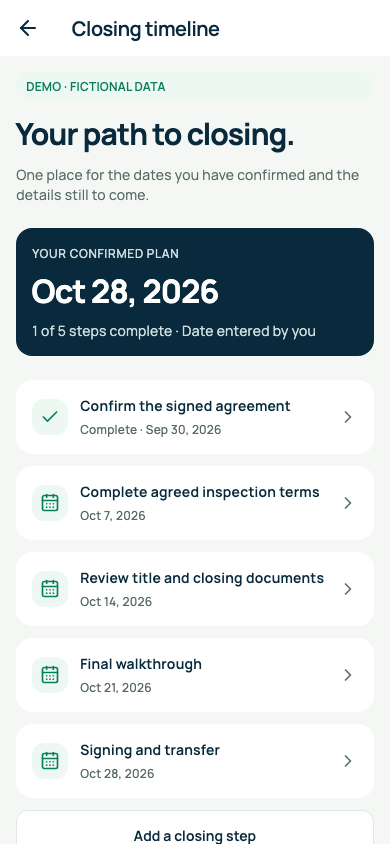
04 / GET READY TO CLOSE
Keep the paperwork
and the dates together.
Organize your documents, use AI guidance to surface questions, and follow a closing timeline based on dates you enter.
Document library · Guidance · Closing reminders
Guidance may be incomplete. Use qualified professionals for legal and transaction decisions.
YOUR LISTING, READY FOR THE NEXT STEP
Prepare here. Publish with care.
Zillow · Manual publishing
Use SellerSide’s instructions and copy/export tools to prepare your materials. Review and submit your listing yourself on Zillow.
Manual steps · No automatic publishing
Houzeo · Optional MLS route
Explore Houzeo’s flat-fee MLS option through an external link. Houzeo charges separately; its availability, fees and terms apply.
Optional third-party service · Separate fees
SellerSide does not automatically publish to Zillow or Houzeo. These references do not imply a partnership.
No. Photo suggestions are per-photo reviews. You choose which reviewed suggestions become tasks; they do not replace a professional inspection.
Yes. Regenerate or edit the draft, check every detail and approve it before using it. Saved or approved content is not automatically published.
No. SellerSide assists with manual Zillow publishing and provides an optional Houzeo link. Any third-party fees are separate.
No. Enter inquiries, showing details and notes in SellerSide, while continuing conversations in your preferred email or messenger.
No. AI guidance can help surface questions, but it may be incomplete. Consult qualified professionals for legal, tax and transaction decisions.
YOUR NEXT MOVE STARTS HERE
See what you
could save.
Start with your own numbers. Plan your sale with savings in mind.
Your home-selling journey, right in your pocket.
Questions about access? support@sellerside.app